Why HTTrack Can't Download JavaScript Websites (And What To Use Instead)
If you've tried to use HTTrack to download a modern website and got blank pages, you're not alone. This is the most common complaint about HTTrack, and it's a fundamental limitation — not a bug that can be fixed.
Why HTTrack Fails on JavaScript Sites
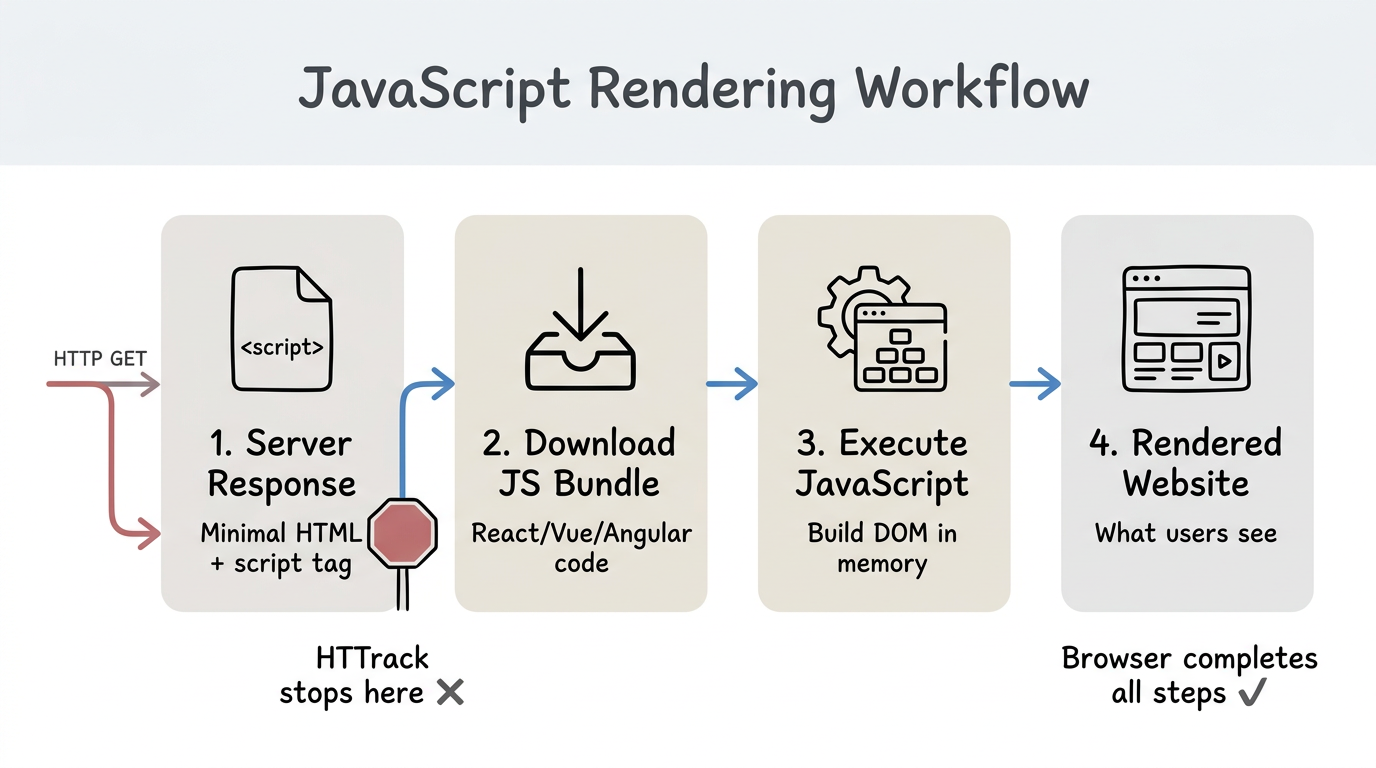
HTTrack works by downloading the raw HTML that a server sends in response to an HTTP request. For traditional websites, this HTML contains all the visible content. But modern JavaScript frameworks work differently:
- The server sends a minimal HTML file with a
<script>tag. - The browser downloads and executes the JavaScript bundle.
- JavaScript builds the actual page content in the browser's DOM.
- You see the rendered website.
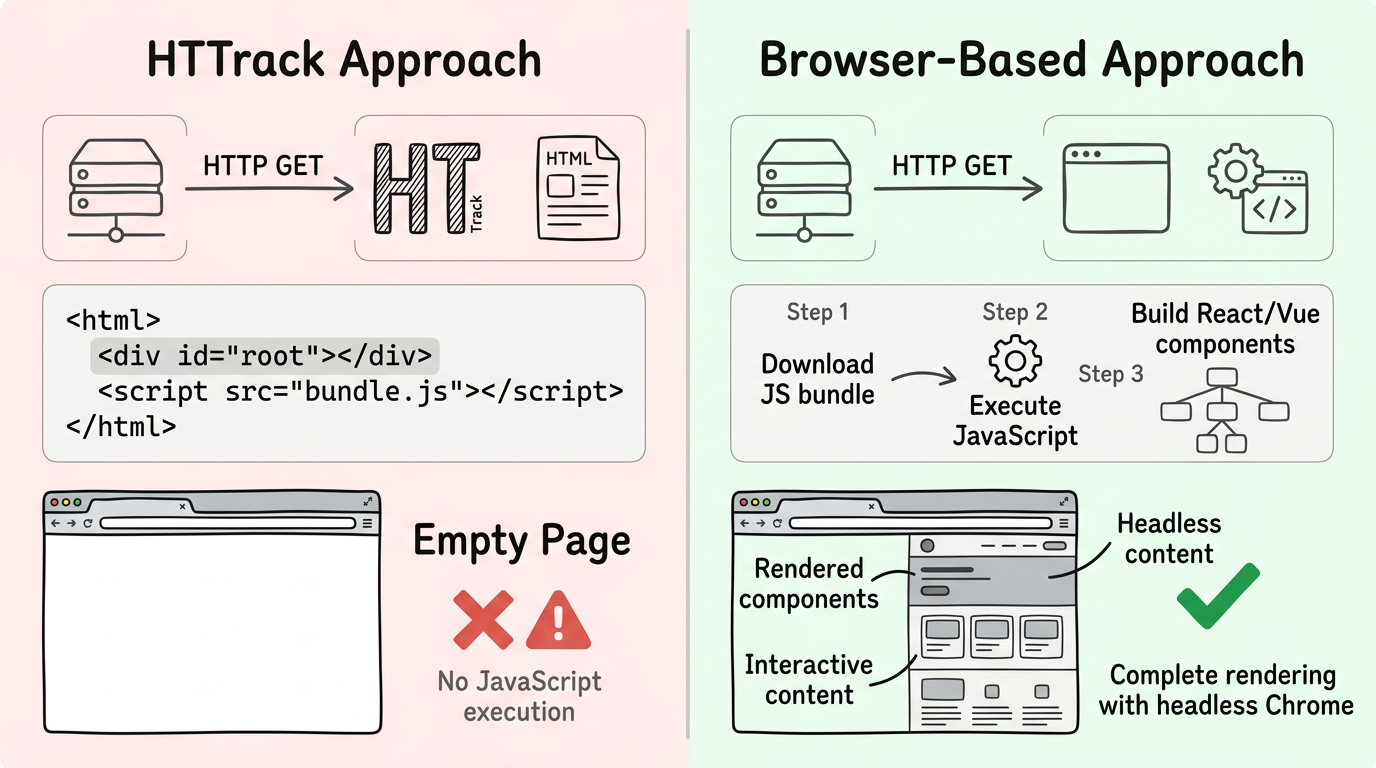
HTTrack only does step 1. It downloads the minimal HTML file but never executes the JavaScript (steps 2-3). So you get an empty page.
Frameworks Affected
This affects virtually all modern frontend frameworks:
- React / Create React App / Next.js (client-side rendering)
- Vue / Nuxt (client-side rendering)
- Angular (all Angular apps)
- Svelte / SvelteKit
- Ember, Remix, and others
The Solution: Browser-Based Downloading
The only way to properly download a JavaScript-rendered website is to use an actual browser engine. websitedownloader.org uses headless Chrome to render each page completely before saving it. This captures the final, rendered HTML — exactly what you see in your browser.
Related Guides
- Download single-page applications — Why SPAs are hard to download and how to solve it.
- HTTrack alternative 2026 — Modern replacement for HTTrack.
- How to download a website — 5 free methods step by step.