How to Download a React Website for Offline Use
React websites are single-page applications (SPAs) that render content entirely through JavaScript. This makes them impossible to download with traditional tools like HTTrack or wget, which only save the raw HTML — an empty shell without the rendered content.
Why React Sites Are Different
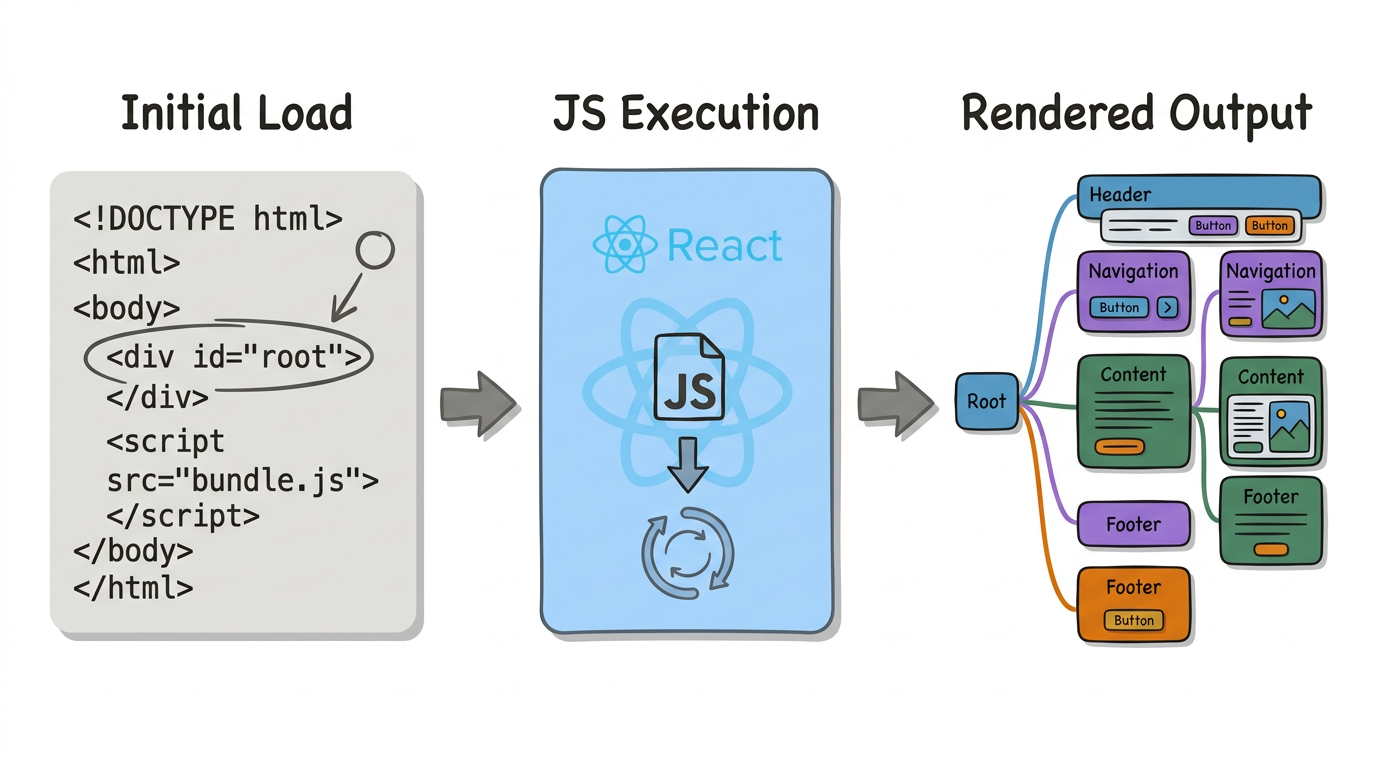
A typical React application serves a minimal HTML file containing a single <div id="root"> element and a JavaScript bundle. The browser downloads and executes this JavaScript, which then builds the entire page. If you download the HTML without executing the JavaScript, you get nothing visible.
The Solution: Browser-Based Capture
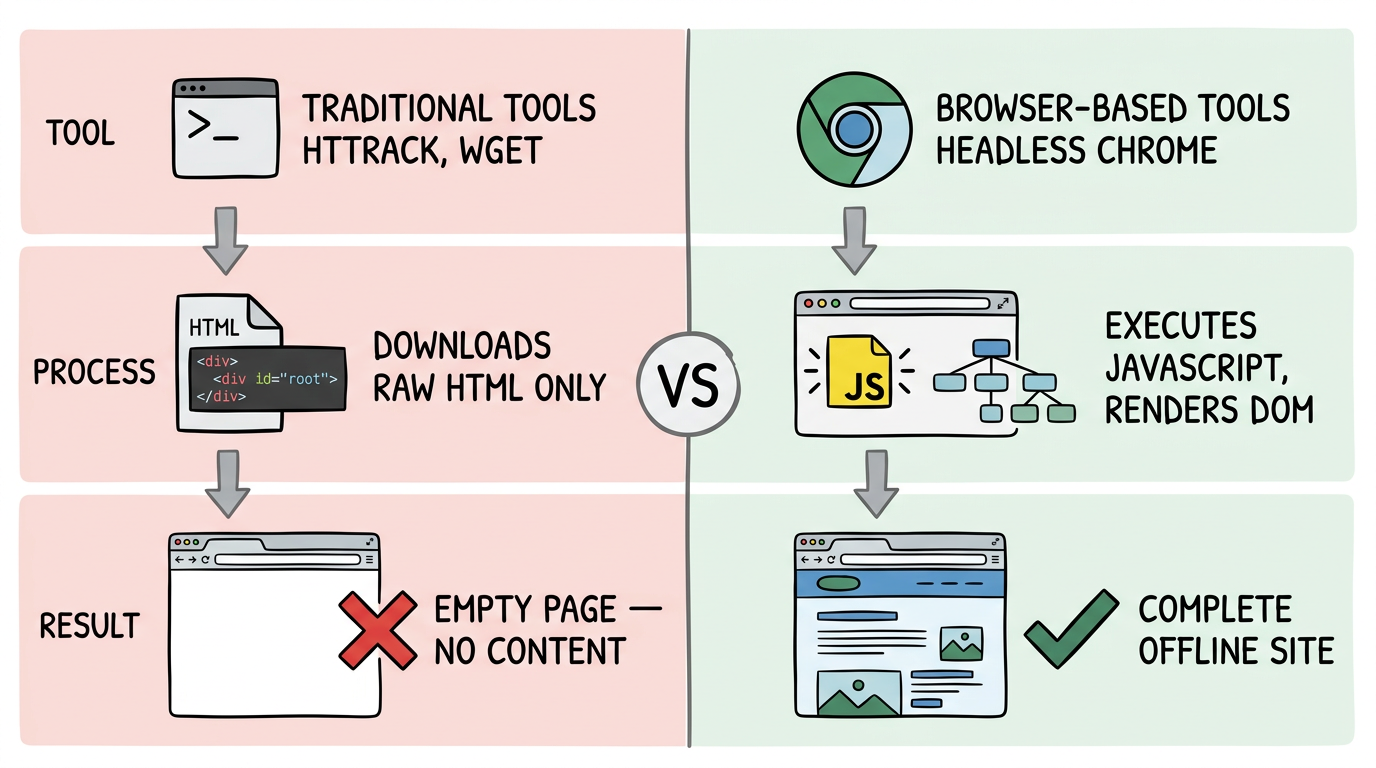
To download a React website, you need a tool that:
- Opens the URL in a real browser (headless Chrome)
- Waits for React to render all components
- Captures the rendered DOM, not the source HTML
- Collects all assets (CSS, images, fonts)
- Packages everything into a downloadable file
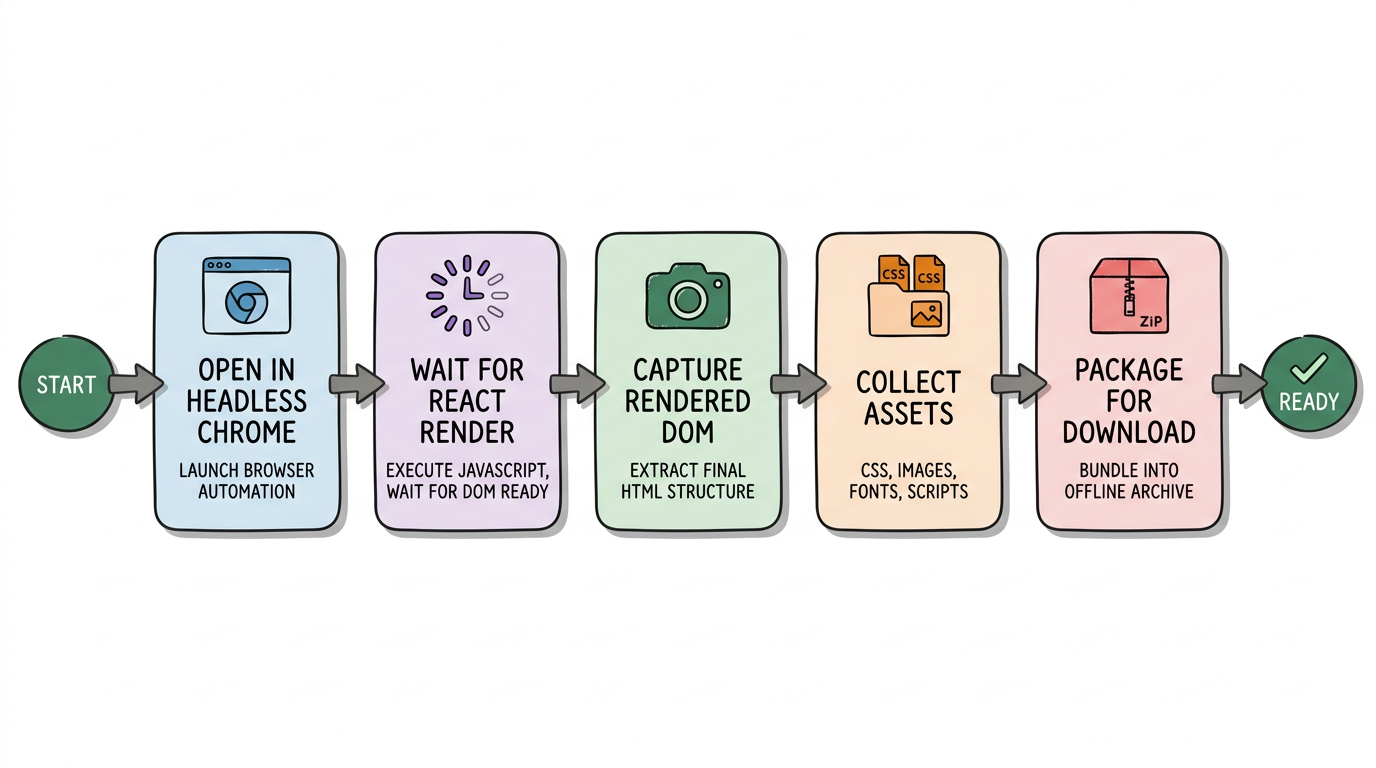
This is exactly what websitedownloader.org does. Paste a React website URL, and we handle the rest.
Works With All React Setups
- Create React App (CRA)
- Next.js (both SSR and CSR pages)
- Gatsby
- Remix
- Vite + React
Related Guides
- How to download a website — 5 free methods step by step.
- Save SPAs offline — Why single-page apps are hard to download.
- Best website downloaders 2026