Website Archiver: How to Archive Any Website in 2026
Archiving a website creates a permanent, point-in-time snapshot that preserves not just the content but the structure, metadata, and context of the original. Whether you need website archives for legal compliance, academic research, or historical preservation, this guide covers the best website archiver tools and methods available in 2026.
Downloading vs Archiving — What's the Difference?
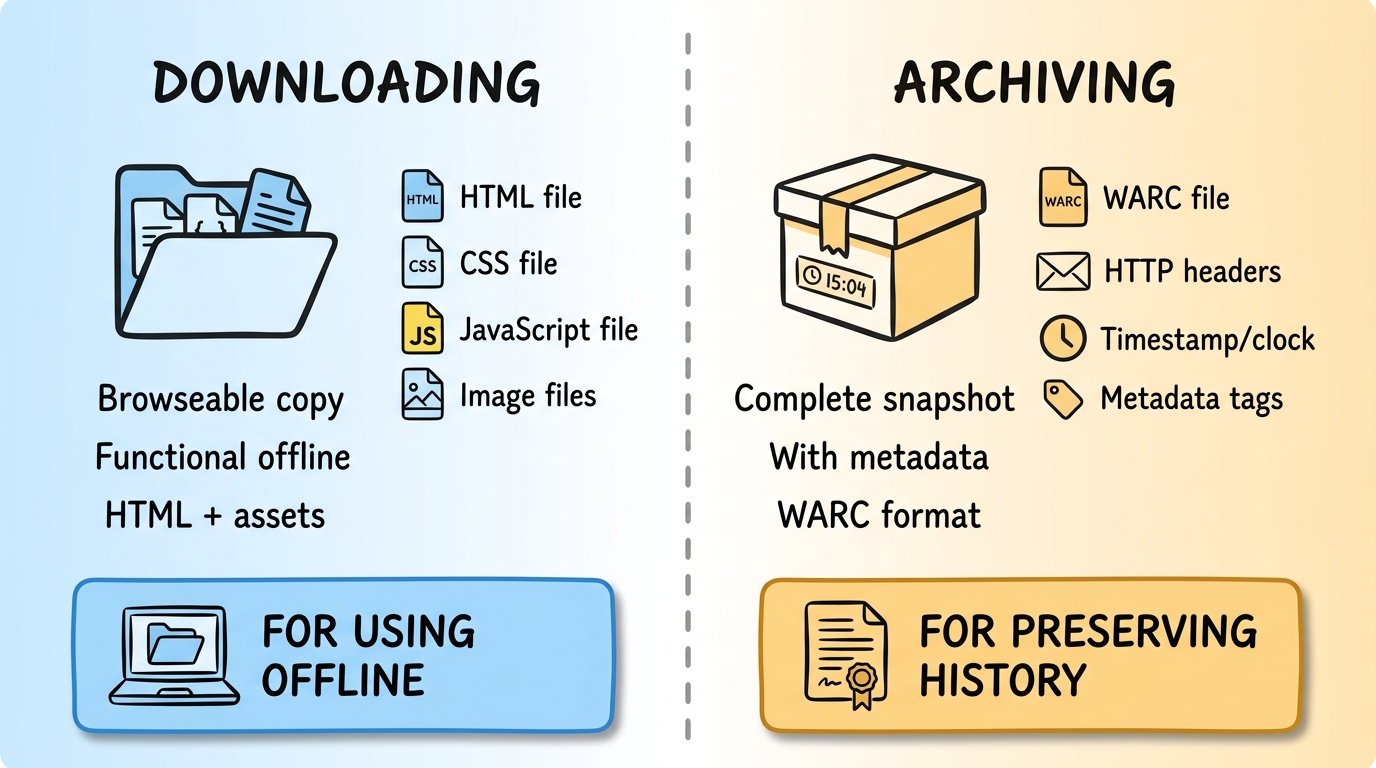
Downloading a website saves a browseable copy — the HTML, CSS, JavaScript, and images you need to view it offline. The goal is a functional copy.
Archiving goes further. A website archive preserves the exact state of a website at a specific point in time, including HTTP headers, response codes, timestamps, and metadata. Archives use specialized formats (like WARC) that capture the full server response, not just the rendered output. This makes archives suitable for legal evidence, compliance records, and scholarly citation.
In short: downloads are for using, archives are for preserving.
Why Archive Websites?
- Legal compliance — Regulations like GDPR, SOX, and SEC rules may require you to maintain records of published content, terms of service, or marketing claims.
- Legal evidence — Website archives with timestamps can serve as evidence in intellectual property disputes, contract disagreements, or defamation cases.
- Academic research — Researchers cite web sources that may change or disappear. Archives provide a permanent, verifiable reference.
- Historical record — The average web page lasts only about 100 days before it changes or disappears. Archiving preserves the web's cultural record.
6 Website Archiver Methods
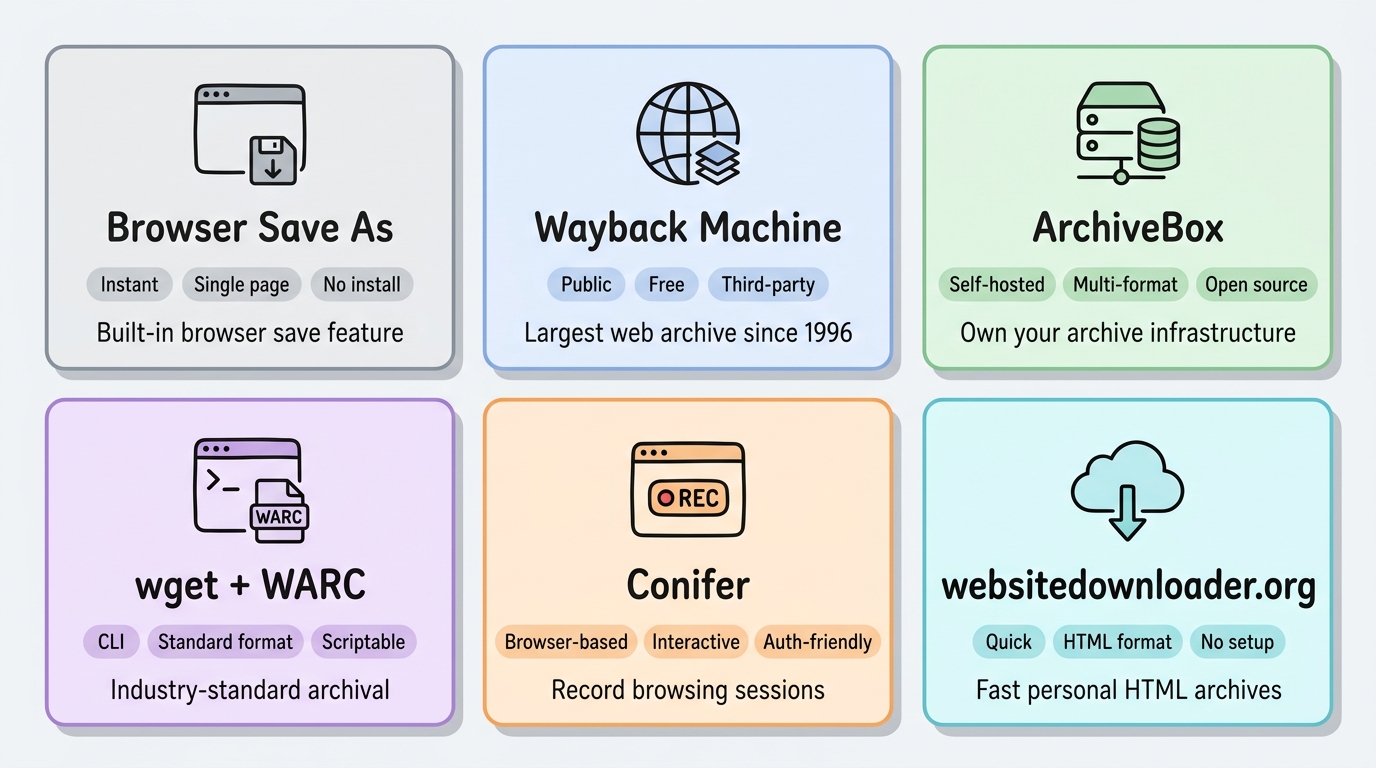
Method 1: Browser Save As (Chrome/Firefox) — Single Page Archives
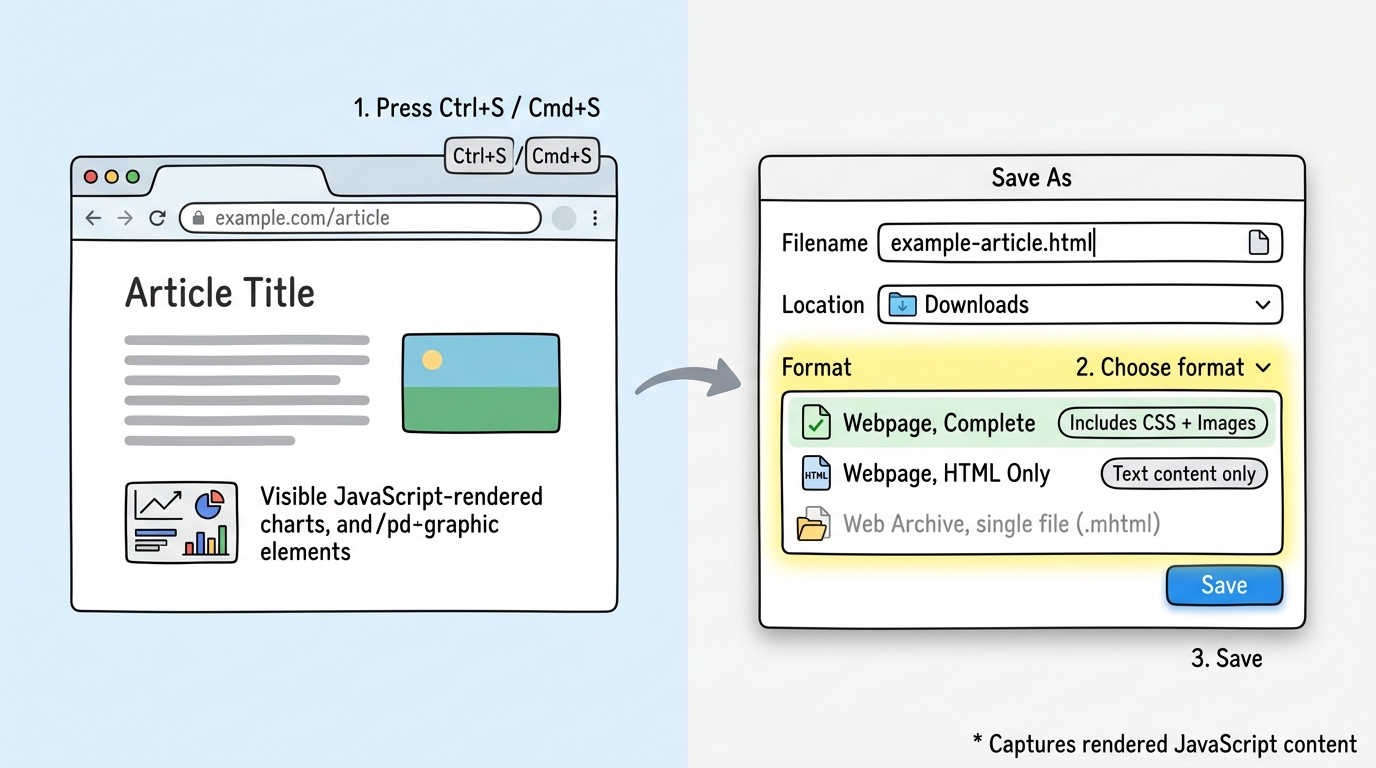
The simplest archiving method is your browser's built-in Save feature. Both Chrome and Firefox can save complete web pages including rendered JavaScript content.
How to use: Press Ctrl+S (Windows/Linux) or Cmd+S (Mac), then choose "Webpage, Complete" or "Web Page, HTML Only" depending on your needs.
Pros: Instant, no installation needed, captures the page exactly as you see it (including JavaScript-rendered content), works offline immediately.
Cons: Only saves one page at a time. No formal archive format. No HTTP headers or metadata preservation. Not suitable for legal compliance or multi-page archiving.
Method 2: Wayback Machine / Internet Archive
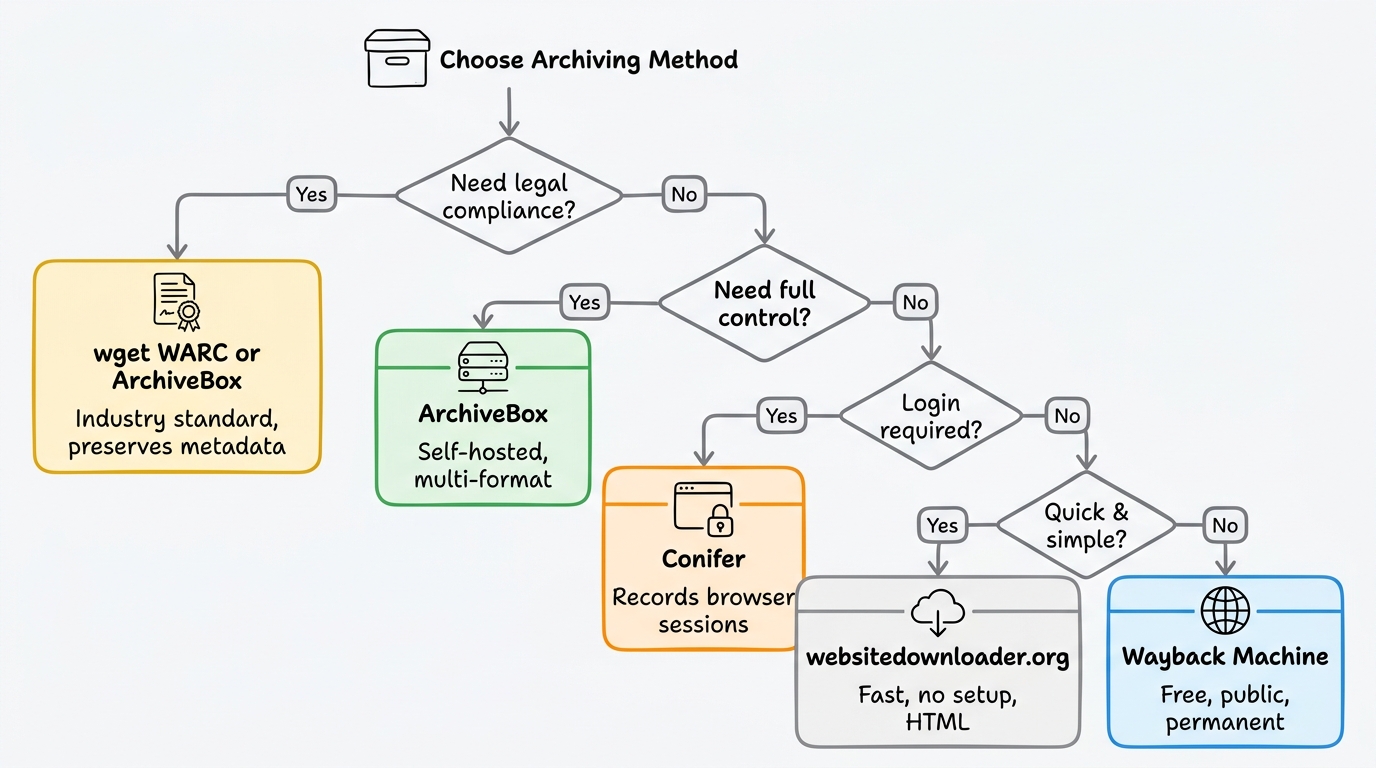
The Internet Archive's Wayback Machine is the largest web archive in the world, with over 800 billion web pages saved since 1996. You can submit any URL for archiving at web.archive.org/save.
Pros: Free, permanent, publicly accessible, trusted by courts and academics.
Cons: You don't control the archive — it's hosted by a third party. Limited JavaScript rendering. Cannot archive pages behind authentication. No guarantee of crawl frequency.
Method 3: ArchiveBox — Self-Hosted Archiver
ArchiveBox is a free, open-source, self-hosted website archiver. It saves pages in multiple formats simultaneously (HTML, PDF, screenshot, WARC, media files) and runs on your own server.
pip install archivebox
archivebox init
archivebox add https://example.com
Pros: You own the archive, multiple output formats, headless Chrome for JS rendering, web-based admin UI, scheduled imports.
Cons: Requires server setup and maintenance. Storage grows quickly with large archives.
Method 4: wget + WARC Output
wget can produce archive-grade WARC (Web ARChive) files — the same format used by the Internet Archive and national libraries:
wget --recursive \
  --warc-file=example-archive \
  --warc-cdx \
  --page-requisites \
  --no-parent \
  https://example.com
Pros: Produces industry-standard WARC files. Free, scriptable, good for automation. WARC files can be replayed with tools like pywb or Webrecorder Player.
Cons: No JavaScript rendering — fails on modern SPA sites. Command-line only. WARC files require special tools to browse.
Method 5: Conifer (formerly Webrecorder)
Conifer is a browser-based website archiver that records your actual browsing session. As you navigate a website, Conifer captures every page, click, and interaction in a WARC file.
Pros: Captures exactly what you see in the browser, including JavaScript-rendered content and authenticated pages. Interactive archives that preserve scroll, click, and navigation behavior. Free hosted plan available.
Cons: Manual browsing required — you must visit each page. Not suitable for archiving large sites with hundreds of pages.
Method 6: websitedownloader.org — Quick Archive for Personal Use
For a quick website archive without the complexity of WARC files, websitedownloader.org downloads the entire site as a browseable HTML folder in a ZIP file. It renders JavaScript with headless Chrome, so modern sites are captured correctly.
Pros: Fast, free, no setup. Full JavaScript rendering. Output is a simple folder you can browse immediately.
Cons: Not a formal WARC archive — doesn't preserve HTTP headers or response metadata. Best for personal/development use, not legal compliance.
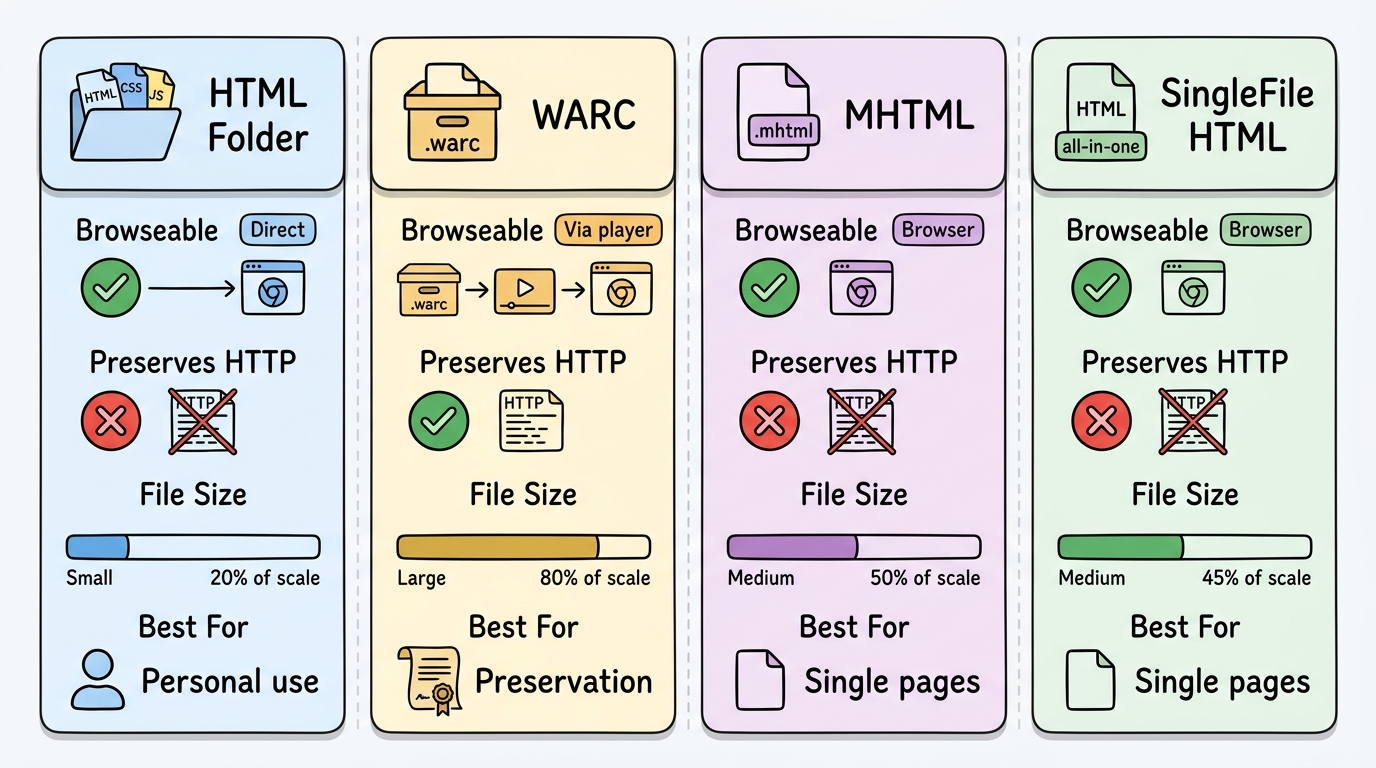
Archive Format Comparison
| Format | Browseable | Preserves HTTP | File Size | Best For |
|---|---|---|---|---|
| HTML folder | ✓ Direct | ✗ | Small | Personal use |
| WARC | Via player | ✓ | Large | Preservation |
| MHTML | ✓ Browser | ✗ | Medium | Single pages |
| SingleFile HTML | ✓ Browser | ✗ | Medium | Single pages |
Legal Considerations
Archiving publicly available websites for personal reference, research, or compliance is generally legal. However:
- Copyright still applies — Archiving doesn't grant you the right to redistribute copyrighted content.
- Respect robots.txt — Some sites explicitly disallow archiving bots. Personal archives for your own use are typically fine.
- Compliance archives — If you're archiving for regulatory compliance, use a format with timestamps and integrity verification (WARC) to ensure the archive is admissible.
- Terms of service — Some websites' ToS prohibit automated downloading. Review before archiving.
FAQ
How long can I keep a website archive?
Indefinitely, as long as you maintain the storage. WARC files and HTML archives don't expire. Store them on reliable media (cloud storage, external drives) and verify integrity periodically. The Internet Archive's Wayback Machine has preserved websites since 1996, proving that digital archives can last decades.
Can I archive a website behind a login?
Most automated archiving tools cannot handle multi-step authentication. Conifer (formerly Webrecorder) is the best option for authenticated pages — it records your browser session including login, so all pages you visit while logged in are captured. For simpler cases, you can export session cookies and pass them to wget or ArchiveBox.
What format should I archive websites in?
For long-term preservation, WARC (Web ARChive) is the gold standard — it's the format used by the Internet Archive and national libraries. For personal or development use, a plain HTML folder (from websitedownloader.org or wget) is simpler and can be browsed directly.
Related Resources
- Website backup guide — Backups for disaster recovery rather than archival.
- Best website downloaders 2026 — Tool comparison for downloading (not archiving) websites.
- Download entire website guide — Step-by-step for complete site downloads.